If you searched for piano tiles no download (or ピアノタイル 無料 ダウンロードなし), the honest answer is simple: you do not need an app, an installer, or an account. Piano Tiles runs as HTML5 Canvas directly in your browser tab. This guide covers exactly how it plays — the real rules from the game code, scoring, controls, and a few mobile tips.
Play it now: Piano Tiles
Want more instant-play titles? The Free Browser Games with No Download guide is a 7-title checklist with the same mechanics-first approach.
How to Play Piano Tiles in the Browser
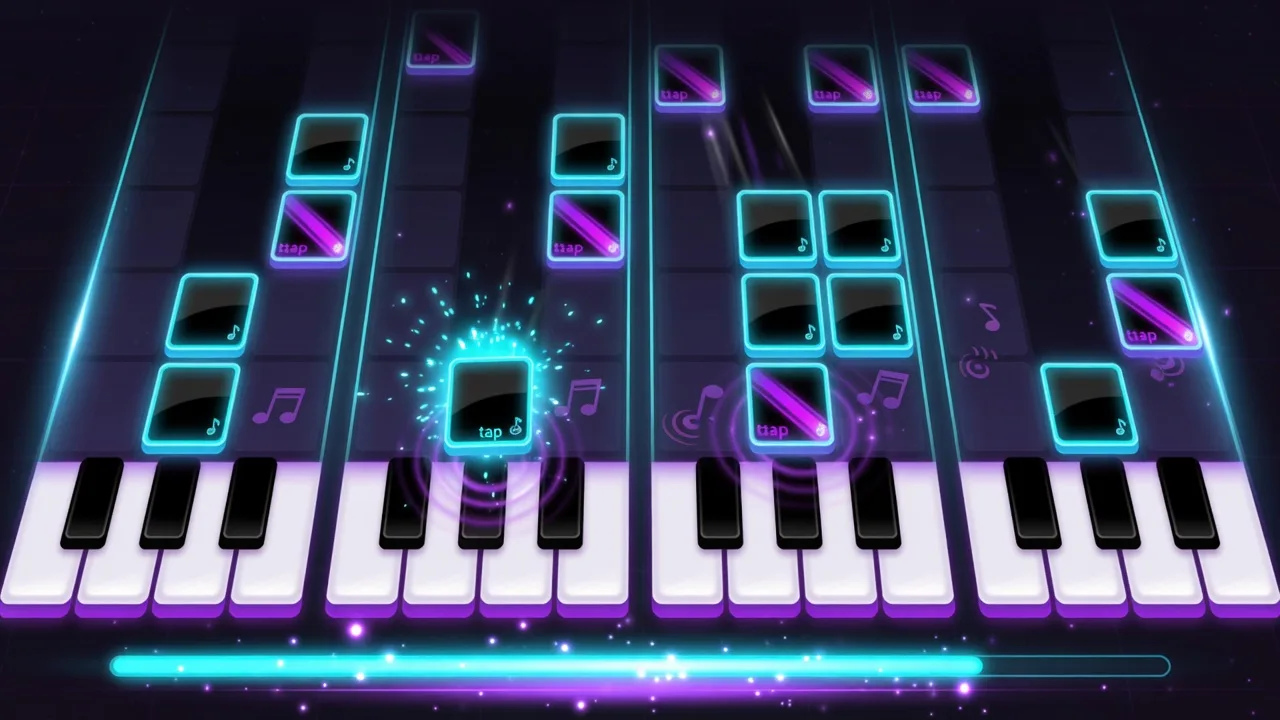
Piano Tiles is a 4-lane reflex game. Black tiles fall down the screen in four columns; you tap the lane under a visible black tile before it passes the hit zone. The core loop is exactly that:
- 4 lanes, full width of the play area. Each tap maps to a lane by its horizontal position.
- Tiles spawn at the top and fall at a fixed speed. Any visible black tile in that lane can be hit — you do not have to aim only at the glowing line.
- Fail conditions: tap a lane with no visible black tile (an empty or white hit), or let any tile fully leave the bottom of the screen. Either one is an instant game over, and the combo resets.
- The game runs in three phases: menu → playing → game over. A tap, Space, or Enter starts a run and restarts after game over.
- Input uses pointer events, so the same tap logic works with a mouse, one finger, or several fingers at once.
Scoring, Combo and Speed
The score system is simple and consistent — no bonus rounds, no song unlocks.
| Your combo | Points per black tile hit |
|---|---|
| 0–9 | +1 |
| 10–19 | +2 |
| 20+ | +3 |
- The combo increments on every black-tile hit and resets when the run ends.
- Speed is
220 + min(420, score × 6 + combo × 2)pixels per second — it climbs with score and combo, up to a cap. - Tiles spawn every
max(0.28, 0.58 − score × 0.004 − combo × 0.0015)seconds. As your score climbs, the interval shrinks and tiles come faster, down to a 0.28-second floor. - After score 8, about 18% of spawns add a second tile in a different lane — ready for two fingers.
- Every 10 combo, a "COMBO!" float appears with a stronger hit effect.
- Your best score is saved locally on that device only.
Controls: Keys and Multi-Touch
| Lane | Keyboard keys | Touch |
|---|---|---|
| 1 (left) | 1, D, A | tap the left quarter |
| 2 | 2, F, S | tap the second quarter |
| 3 | 3, J | tap the third quarter |
| 4 (right) | 4, K, L | tap the right quarter |
- Space or Enter starts a run and restarts after game over.
- Pointer events support multi-touch: several fingers can tap several lanes at once — useful once dual tiles appear after score 8.
- On mobile, the canvas owns the touch input, so taps do not scroll or zoom the page.
Why It Is Free and Needs No Download
- It runs as a Canvas game inside the browser tab — nothing to install, no separate app, no account.
- There is no song list, no licensed music, no unlockable tracks — the falling tiles are the entire game.
- Your best score lives only on this device in browser local storage (
game_piano-tiles_best). No cloud, no login, no cross-device sync. - The page may show ads, but the game itself is free to play.
Tips for a Higher Score on Mobile
1. Hit any visible black tile in the lane. The game accepts a hit anywhere on the tile body, not only at the glowing line — early taps buy time to read the next tile.
2. Keep a steady rhythm. Combo points jump from +1 to +2 at combo 10 and to +3 at combo 20, so an even tempo beats frantic mashing.
3. Do not tap empty lanes. A tap on a lane with no black tile is an instant game over — wait for the tile to come into range.
4. Be ready for dual tiles after score 8. Roughly one spawn in five adds a second tile in another lane; if you play with one thumb, shift your focus to the pair.
5. Plan for the speed ramp. Both tile speed and spawn rate climb with score, and spawns can get as close as 0.28 seconds apart — keep taps short and your eyes a little further down the board.
Piano Tiles FAQ
Do I really need to download anything to play?
No. Piano Tiles loads as HTML5 Canvas directly in your browser tab. There is no installer, no app-store step, and no account to create.
What happens if I miss a tile or tap an empty lane?
Both are an instant game over. A tile fully leaving the bottom of the screen also ends the run. The combo resets when the run ends.
How does scoring work?
Each black-tile hit adds +1 point. From combo 10 it adds +2, and from combo 20 it adds +3. Your best score is kept in browser local storage on that device only.
Can I play with two fingers?
Yes. The game uses pointer events, so multi-touch works — several lanes can be tapped at the same time, which becomes useful when dual tiles appear after score 8.
Which keyboard keys work?
Lane 1: 1/D/A · Lane 2: 2/F/S · Lane 3: 3/J · Lane 4: 4/K/L. Space and Enter start or restart a run.
Is there a song list or licensed music?
No. Piano Tiles on GamingLab is a pure tap-timing game: falling tiles, no unlockable tracks, no licensed soundtrack.