Sokoban Classic
Play Sokoban Classic free online — push every box onto its target across 15 solvable warehouse levels. Undo is built in. No download.
Puzzle
Sokoban Classic
More Games
See all games
📖 How to Play
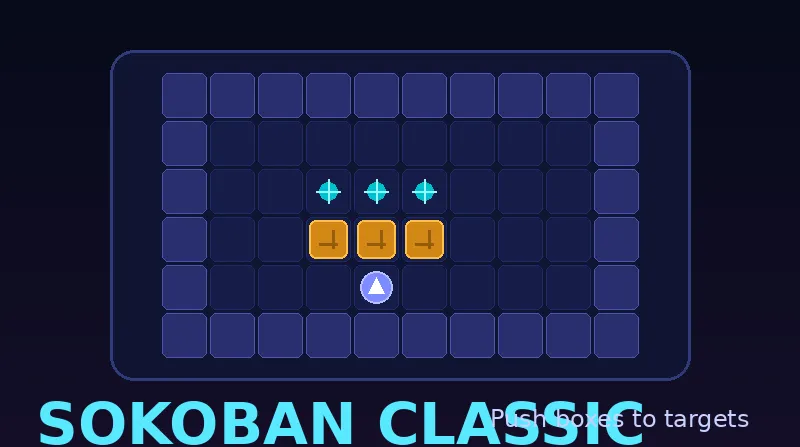
Tap a cell or swipe to move the player. Push boxes by walking into them — but you can only push, not pull! Land every box on a cyan target to clear the level. Use UNDO to revert any move or RESTART to reset the level.
Sokoban: the original warehouse puzzle
Sokoban gives you a warehouse, a stack of boxes, and just enough space to regret every move. Push every box onto its target — but plan ahead, because you can never pull a box out of a corner. Our version packs 15 hand-built levels with smooth swipe and arrow-key controls.
Sokoban planning tips
- Never push a box against a wall unless the target is right there — wall boxes are almost impossible to recover.
- Solve backwards: picture where each box must end, then work out the path it needs to get there.
- A box in a corner ends the run; if you box yourself in, restart the level and try a different order.
A quiet-logic session fit
Levels take one to three minutes each, perfect for a focused thinking break. After Sokoban, Fifteen Puzzle and Lights Out keep the spatial-logic streak going.
⭐ Features
- ✓ 15 hand-crafted warehouse levels with fair solutions
- ✓ Swipe, arrow keys and on-screen controls that always match the grid
❓ Frequently Asked Questions
Where can I play Sokoban online free with no download?
Right here on GamingLab. Free browser Sokoban — no app, no signup. Push every box onto its target across 15 solvable warehouse levels. Undo is built in. Arrow keys, WASD, or swipe.
How many levels does Sokoban have?
Fifteen hand-crafted levels, from a one-push tutorial to trickier multi-box layouts. All are solvable, and your best score is tracked per level.
Can I undo a mistake in Sokoban?
Yes. Use the UNDO button (or the undo key) to step back through your moves. This makes the classic puzzle much friendlier — experiment freely and recover from dead ends.
What are the controls in Sokoban?
Desktop: arrow keys or WASD to move, plus a visible UNDO button. Mobile: on-screen direction buttons plus UNDO, with touch-friendly sizing.
Is Sokoban free to play online?
Yes — completely free, no downloads, no signup. It runs in the browser on desktop and mobile.
How do I avoid deadlocks in Sokoban?
Before pushing, check whether you can still get behind the box for its next move. Never push a box into a non-target corner, and be careful along walls: because boxes can only be pushed, not pulled, either move can make a level impossible. Use UNDO immediately if a route closes.
How does scoring work in Sokoban Classic?
Each cleared level starts at 500 points plus 50 for every later level. Moves after the first five subtract 8 points each, with a minimum award of 60. Plan before moving and use UNDO to take back mistakes: fewer moves earn a better score.
Can I restart a Sokoban level or play with friends online?
Restart the current warehouse with the RESTART button or R — it resets that level only, not your run score. Undo (button or Z) stores up to 200 steps. Tap a neighboring cell or swipe to move; there is no pull. Sokoban Classic is solo in the browser: 15 levels, no online multiplayer and no account.
What is the best strategy to solve Sokoban puzzles?
Never push a box into a corner or against a wall unless that corner is its final destination — a box stuck there can end the level. Think backwards from the goal positions: figure out which square each box must end on, then work out the route that gets it there without blocking yourself. Keep your moves reversible by checking that every push leaves you a path back, and use Undo freely when a push closes a route. Levels look like movement puzzles, but they are really solved by planning.