Minesweeper
Minesweeper unblocked — play the classic mine-clearing puzzle free in your browser. Reveal cells, use the numbers to deduce where mines hide, flag suspected mines, and beat the timer. Three difficulty levels (9×9 to 16×12). No download, no signup.
Puzzle
Minesweeper
More Games
See all games
📖 How to Play
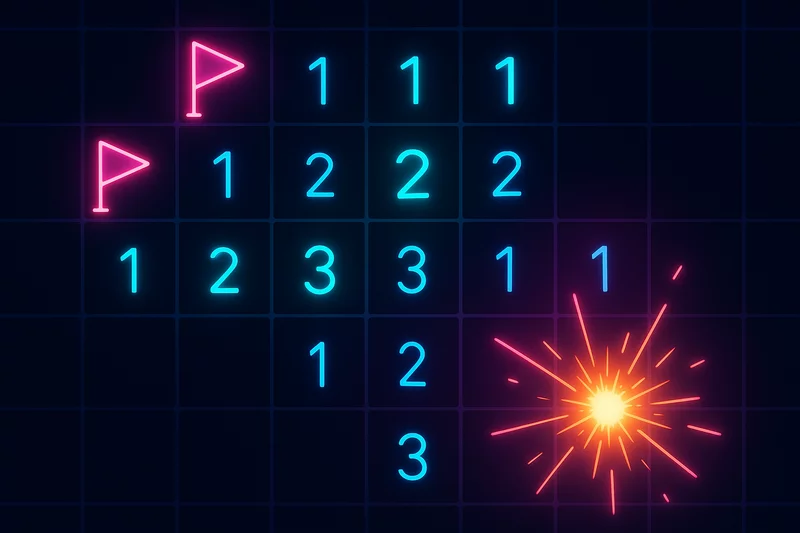
Click to reveal cells. Numbers show adjacent mines. Right-click or use flag mode to mark mines. Clear all safe cells to win!
Why Minesweeper still rewards a sharp eye
Minesweeper is pure logic: every number on the board tells you exactly how many mines touch that cell, so every safe move is something you can prove. Our version gives you three classic boards — 9×9 with 10 mines, 12×10 with 25, and 16×12 with 50 — plus a live timer and mine counter. Read the numbers and you never have to guess.
Minesweeper tips for faster clears
- Treat a '1' as a gift: if its eight neighbors are all safe except one, that one cell is the mine — flag it and open the rest.
- Start from corners and edges — a corner cell touches only three neighbors, so it gives you the most information per click.
- Re-read the board after every flag: a flagged mine turns the neighboring number into a promise about which cells are safe.
Best played as a mental warm-up
A medium board is a perfect five-minute brain warm-up. When you clear it, Sudoku Classic and Nonogram Grid keep the deduction streak going.
⭐ Features
- ✓ Three classic board sizes with fair, solvable layouts
- ✓ Flag mode for touch and right-click for desktop — no accidental reveals
❓ Frequently Asked Questions
Where can I play Minesweeper online free with no download?
Right here on GamingLab. Free browser Minesweeper — no app, no signup. Three boards: Easy 9×9/10 mines, Medium 12×10/25, Hard 16×12/50. First click is always safe. Flag mode for touch; right-click on desktop.
What difficulty levels are available?
Three: Easy (9×9 with 10 mines), Medium (12×10 with 25 mines) and Hard (16×12 with 50 mines). Each has its own timer and mine counter.
How do I flag a mine in Minesweeper?
Enable flag mode (the FLAG button) and tap a cell to place a flag instead of revealing it. Toggle flag mode off to reveal again. Flags help you track suspected mines and never trigger them.
What do the numbers mean in Minesweeper?
Each revealed number (1–8) tells you exactly how many mines are in the 8 cells surrounding it. If a 1 has one adjacent mine already flagged, the other neighbors are safe — use that logic to clear the board.
Is Minesweeper free to play online?
Yes — completely free, no downloads, no signup. It runs in the browser on desktop and mobile with a neon theme and timer tracking.
Is Minesweeper unblocked at school or work?
It runs in the browser with no install, so it works on most school and work networks that allow HTML5 games. If a filter blocks the URL, try another network — there is no APK or desktop client.
Is the first click always safe, and how is the score calculated?
Yes. Mines are placed after your first reveal so that click cannot be a mine. Timer starts then. A win scores max(10, 1000 − time×2). Hitting a mine scores 0 for the run. No chord/chording — one cell per tap.
Can I play Minesweeper on mobile for free?
Yes. Tap to reveal; FLAG button then tap to mark (right-click on desktop). Easy 9×9/10, Medium 12×10/25, Hard 16×12/50 — not the Windows 16×16 expert board. Free in the browser, no download, one player.
What are the 1-2-1 and 1-2-2-1 patterns in Minesweeper?
They are the two most common guaranteed-mine patterns along a wall. In 1-2-1, the cells beside each 1 hold the mines and the cell under the 2 is safe — flag both 1s’ sides, then open under the 2. In 1-2-2-1, the cells beside the outer 1s are mines. Learning these two patterns clears most border situations on our Easy 9×9/10 and Medium 12×10/25 boards without guessing.